Optimize your algorithm
Sometimes, inefficient custom algorithms can lead to system performance issues.
You can prevent these performance issues by optimizing your algorithm.
Conditions
You can optimize conditions within your algorithm by:
- Using conditions sparingly
- Placing conditions as early in your algorithm as possible
NOTE: When a condition fails, the entire algorithm starts over causing a loop that continues until all conditions pass.
TIP: Be sure to eliminate unnecessary conditions whenever possible. Example — Consider the following algorithm:
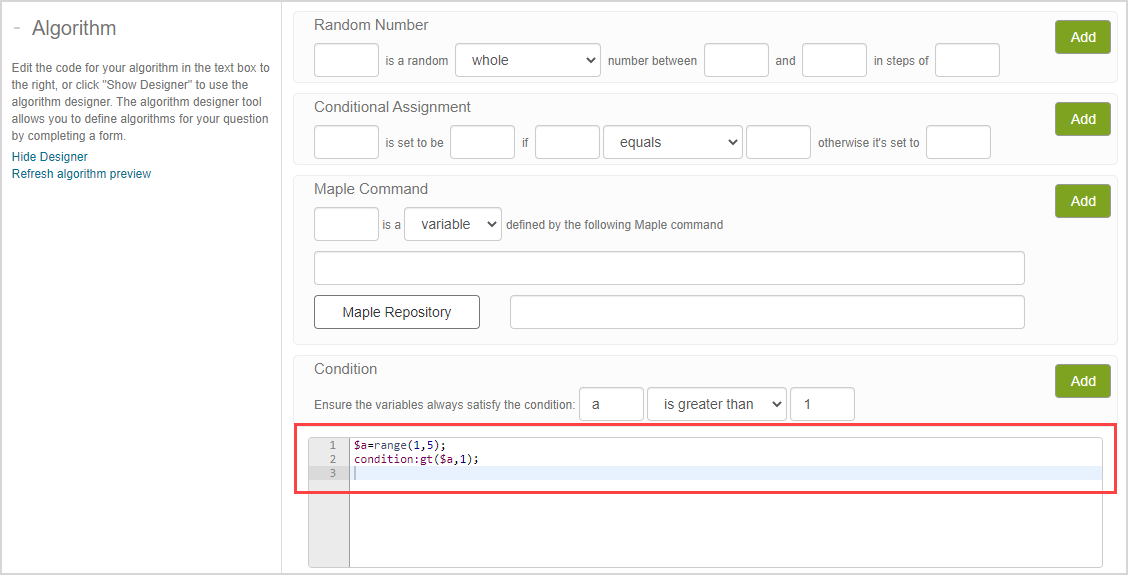
$a=range(1,5);
condition:gt($a,1);The same algorithm can be achieved without a condition:
$a=range(2,5);TIP: Conditions can't always be eliminated from your algorithm (Example — a condition would be required if your algorithm is generating random numbers x and y with the requirement that |x^2*y/(x^4+y^2)| be less than 0.48). Conditions should be placed as early as possible within your algorithm when they can't be eliminated. Since the maple("...") function is often used to perform complex calculations, it should be placed after the last condition since this means that all of the algorithm's conditions have been met by the time the maple("...") function is applied.
maple("...") function
Sending Maple™ code to the Möbius math engine (MapleNet™) allows you to create unique algorithms.
However, note that:
- Computations that take a long time to execute will affect the response time experienced by your students; execution time is capped at 20 seconds.
- Each individual maple("...") call takes up its own MapleNet™ thread, and hence introduces some overhead.
You can then optimize the usage of the maple("...") function within your algorithm by:
- Using the maple("...") function sparingly;
- Combining multiple lines of Maple code and multiple calculations within the same maple("...") function; and
- Outputting multiple results from one maple("...") function and separating them by commas.
TIP: When outputting multiple results from one maple("...") function (with results separated by commas), you would extract the results using the switch() function (check out the switch(n, a, b, c, ...) section of the linked help topic).
Example — Consider this algorithm structure:
$a=maple("command1,command2,command3;");
$var1=switch(0,$a);
$var2=switch(1,$a);
$var3=switch(2,$a);This algorithm will output the results of command1 as $var1, command2 as $var2, and command3 as $var3.
Example — Consider this algorithm that follows the multiple command structure:
$m=maple("randomize():
poly:=randpoly(x,terms=4):
[convert(poly,string),MathML[ExportPresentation](poly),convert(diff(poly,x),string)];");
$poly=switch(0,$m);
$polydisp=switch(1,$m);
$deriv=switch(2,$m);